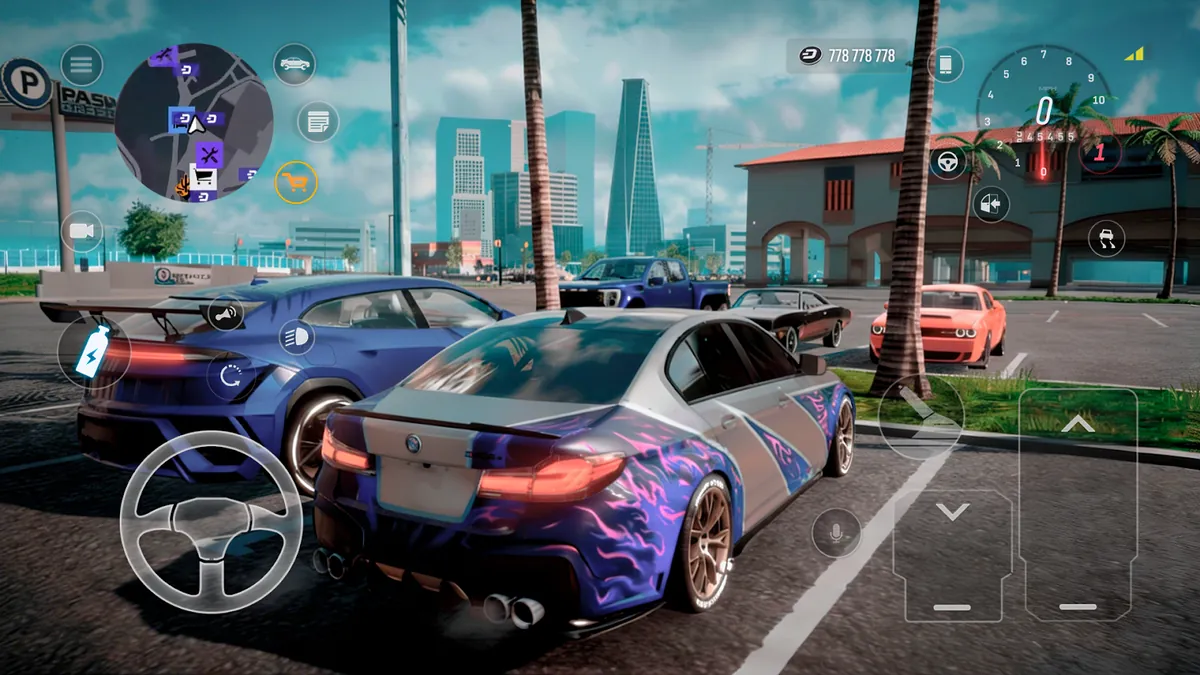
How to Download & Install Drive Zone Online MOD APK (Step by Step)
Quick Answer: Installing the Drive Zone Online MOD APK takes about five minutes if you follow the right order:
1) Uninstall the Play Store version first — the mod has a different signature and will not install over it. 2) Download the v1.15.0 build (≈440 MB) and check the version and file size before opening it. 3) Allow your browser or files app to install unknown apps. 4) Install, tap “Install anyway” if Play Protect warns, and test the mod offline before you play online.
Knowing how to download Drive Zone Online MOD APK correctly matters more than the download itself. Most failed installs come from three avoidable mistakes: installing over the official game, grabbing a fake or outdated file, or panicking at the Play Protect warning and deleting a good build. This guide walks you through the exact order that works, including the XAPK case and the fixes for the errors people hit most often.
Everything below is written for real-world phones, including budget devices like Redmi, Infinix, Tecno and Samsung A-series models. For features and specs, see the Drive Zone Online MOD APK overview; this page covers only the download and install process.
Before You Start
Run through this short checklist first. Skipping it is how people lose progress or end up with a half-downloaded 440 MB file.
- Android 7.0 or higher. Check under Settings → About phone. No root is needed.
- About 1 GB of free storage. The file is ≈440 MB, and the installed game plus its data needs room on top of that.
- Battery above 30%. An install that dies mid-way can corrupt the package and force you to start over.
- Back up your game account. You are about to uninstall the official game. If your progress is linked to Google, Facebook or your Jet Games account inside the game, it can be restored later. If you never linked it, uninstalling can wipe local progress permanently — link it first, or accept the loss knowingly.
- Use Wi-Fi if you can. At ≈440 MB, the download is heavy on mobile data and a dropped connection is the number one cause of “Parse error” messages.
Step 1: Uninstall the Play Store Version
This step is not optional, and it is the one most guides bury at the bottom. The MOD APK is signed with a different certificate than the official release by Jet Games FZ-LLC. Android treats two apps with the same package name but different signatures as a conflict, so installing the mod over the Play Store version fails with “App not installed.”
- Open the game once and confirm your account is linked (see the backup warning above).
- Go to Settings → Apps → Drive Zone Online → Uninstall. Or long-press the game icon and choose Uninstall.
- Restart your phone. This clears leftover processes and makes the next steps more reliable on low-RAM devices.
The same rule applies to an older mod build from a different source: its signature will also conflict, so remove it first.
Step 2: Download the Right File
The current build is version 1.15.0, released November 5, 2026 by Jet Games FZ-LLC, at roughly 440 MB. You can confirm this is the latest release on our Drive Zone Online latest version tracker, which we update whenever the game updates.
Before you tap install on anything you downloaded, verify three things:
- Version: the file should be v1.15.0. Older builds (1.14.0 and below) may still run, but they lose access to current events and can break against newer servers.
- Size: it should be close to 440 MB. A “MOD APK” that is 15 MB is not the game — it is a downloader or an ad wrapper.
- Developer: the underlying game is by Jet Games FZ-LLC. Pages crediting anyone else are not offering the real game.
Fake-site red flags — leave immediately if you see any of these:
- A survey, “human verification,” or offer wall standing between you and the file.
- Any request to pay for the download. The game and the mod are free; a paywall means a scam.
- A separate “installer app” you must install first. The game installs directly from its APK or XAPK file.
- The download button triggers a different app entirely (cleaners, VPNs, browsers).
Our MOD APK safety guide goes deeper on checking files before you install them, including permission checks and scam patterns.
Step 3: Allow Installs From Your Browser or Files App
Android blocks installs from outside the Play Store until you grant permission to the specific app you downloaded the file with. On modern Android (10 and above), the permission is per-app:
- Open Settings → Apps → Special app access → Install unknown apps (on Samsung: Settings → Biometrics and security → Install unknown apps).
- Find the app you used to download — Chrome, your browser, or your Files/My Files app.
- Turn on “Allow from this source.”
On older Android (7–9), it is a single switch instead: Settings → Security → turn on “Unknown sources,” then confirm the warning. Turn it back off after installing if you prefer.
Tip for Redmi (MIUI) and Infinix/Tecno (XOS/HiOS) users: these skins sometimes show an extra countdown or a second confirmation screen during installs. That is normal — wait for the timer and confirm; do not back out, or the install cancels.
Step 4: Install the APK
- Open your Downloads folder (Files app → Downloads) and tap the Drive Zone Online file ending in .apk.
- Android shows the app name and the permissions it wants. The game legitimately needs storage and network access.
- Tap Install and wait. On budget phones this can take one to three minutes — leave the screen alone until it finishes.
- When you see “App installed,” do not open it yet if a Play Protect prompt is still pending — read the next step first. If your file ends in .xapk instead, skip to the XAPK section below.
If Your File Is an XAPK
An XAPK is a bundle: it contains the APK plus the game’s OBB data files (the large graphics and content files) in one package. Drive Zone Online is frequently distributed this way because of its size. A plain .xapk file will not open with the normal installer, so:
- Install a reputable XAPK installer app from the Play Store (search “XAPK installer” and pick one with a long track record and recent updates).
- Open the installer, grant it the storage and install permissions it asks for, and select the Drive Zone Online .xapk file.
- Let it finish completely. The installer places the OBB data in the correct Android/obb folder automatically — you do not need to move files by hand.
- Delete the installer app afterwards if you will not need it again.
Never rename a .xapk to .apk to force it open. The installer will fail or produce a broken game that crashes on launch, because the OBB data never gets extracted.
Step 5: Handle the Play Protect Warning
Google Play Protect scans sideloaded apps, and a modified game will almost always trigger a warning during or after install. This is expected behaviour for any mod, not proof that the file is infected — Play Protect flags apps that do not come from the Play Store and do not match the official signature.
- When the prompt appears (“Blocked by Play Protect” or “Unsafe app blocked”), tap More details.
- Tap Install anyway and confirm.
- If Play Protect asks again when you first open the game, confirm that you want to keep the app.
There are times you should stop and delete the file instead:
- The downloaded size is far from ≈440 MB, or the version is not 1.15.0.
- The installer asks for permissions a driving game has no business requesting — SMS, contacts, call logs, accessibility control.
- The app that appears after install is not Drive Zone Online, or extra unknown apps appeared with it.
If any of those happen, uninstall, delete the file, and re-download from a source you trust. The full reasoning is in our safety and ban-risk guide. For comparison, the official game is on the Google Play listing — if you would rather not sideload at all, that version installs with none of these steps.
Step 6: First Launch — Permissions and the Offline Test
How you handle the first launch decides whether you keep your account safe.
- Before opening the game, turn on Airplane Mode.
- Open Drive Zone Online. When it requests permissions, grant storage (and notifications only if you want them). Refuse anything unrelated, especially SMS or contacts.
- In offline mode, check the mod is working: open your garage, confirm your car list, check the money balance, and look for the mod menu if your build includes one.
- Do a short free-roam drive to confirm the game runs smoothly and does not crash.
- Only then turn Airplane Mode off, sign in to restore your account progress, and play online.
Testing offline first protects you twice: you verify the file before it touches your account, and if the build is broken, nothing has been risked. If something does go wrong at this stage, our MOD APK not working fixes page covers the full troubleshooting list.
Low-End Phone Tips (Redmi, Infinix, Tecno, Samsung A-Series)
Budget phones run this game fine if you set them up for it. These steps make the biggest difference on 3–4 GB RAM devices:
- Free up storage before installing — keep at least 1 GB spare after install; Android slows down sharply on a nearly full disk, and game updates will fail.
- Close background apps before launching, especially browsers and social apps that hold RAM.
- Use the low graphics preset in-game (Settings → Graphics → Low, and cap the frame rate at 30 FPS if the option is offered). The game looks slightly softer but holds a steady frame rate, which matters more for drifting.
- On MIUI (Redmi): exclude the game from battery optimisation (Settings → Battery → Drive Zone Online → No restrictions) so MIUI does not kill it mid-session.
- Install to internal storage, not an SD card. Slow cards cause texture pop-in and stutter.
Troubleshooting: Common Install Problems
| Problem | Fix |
|---|---|
| “App not installed” | Almost always a signature conflict: the official game or an old mod build is still installed. Uninstall it (Step 1), restart the phone, and install again. |
| “Parse error” / “There was a problem parsing the package” | The download is incomplete or corrupted. Delete the file, clear space, and re-download fully on Wi-Fi. Also confirm your phone runs Android 7.0+. |
| Play Protect blocks the install with no “Install anyway” option visible | Tap “More details” on the prompt first — the option is hidden there. If it never appears, open the Play Store → profile icon → Play Protect and check the alert there. Follow Step 5 and the safety checks. |
| Game crashes on launch or black screen | Usually a version mismatch (mod build older than current server version) or a bad XAPK extraction. Reinstall using the current v1.15.0 build; if it persists, work through our fixes page. |
| Install button greyed out / install hangs | Screen-overlay apps (chat heads, blue-light filters) can block the installer. Turn them off and retry; also dismiss any security countdown screen rather than backing out. |
Frequently Asked Questions
How do I download and install Drive Zone Online MOD APK?
Uninstall the Play Store version first, because the mod’s different signature cannot install over it. Then download the v1.15.0 build (≈440 MB), allow your browser or files app to install unknown apps in Settings, and tap the APK to install. If Play Protect warns, use “More details → Install anyway” — after checking the file size, version and permissions look right. Test the game offline before signing in and playing online.
Do I need to uninstall the Play Store version before installing the mod?
Yes. The official game from Jet Games FZ-LLC and the MOD APK share the same package name but use different signatures, and Android refuses to install one over the other — you get “App not installed.” Uninstall the official version first (after linking your account to protect your progress), restart, then install the mod. The same applies when replacing one mod build with a build from a different source.
Does Google Play Protect block the Drive Zone Online MOD APK install?
It usually warns, and on some phones it blocks until you intervene. That warning is automatic for sideloaded apps whose signature does not match the Play Store release; it is not, by itself, proof of malware. Tap “More details → Install anyway” only when the file checks out: version 1.15.0, ≈440 MB, and no suspicious permission requests. If the size or permissions are wrong, stop and delete the file instead.
How do I install the XAPK file of Drive Zone Online?
An XAPK bundles the APK with the game’s OBB data, and the standard Android installer cannot open it. Install a trusted XAPK installer app from the Play Store, select the .xapk file inside it, and let it place the OBB data automatically. Do not rename the file to .apk — the game will install without its data and crash on launch.
Last updated: November 10, 2026.
3 Comments