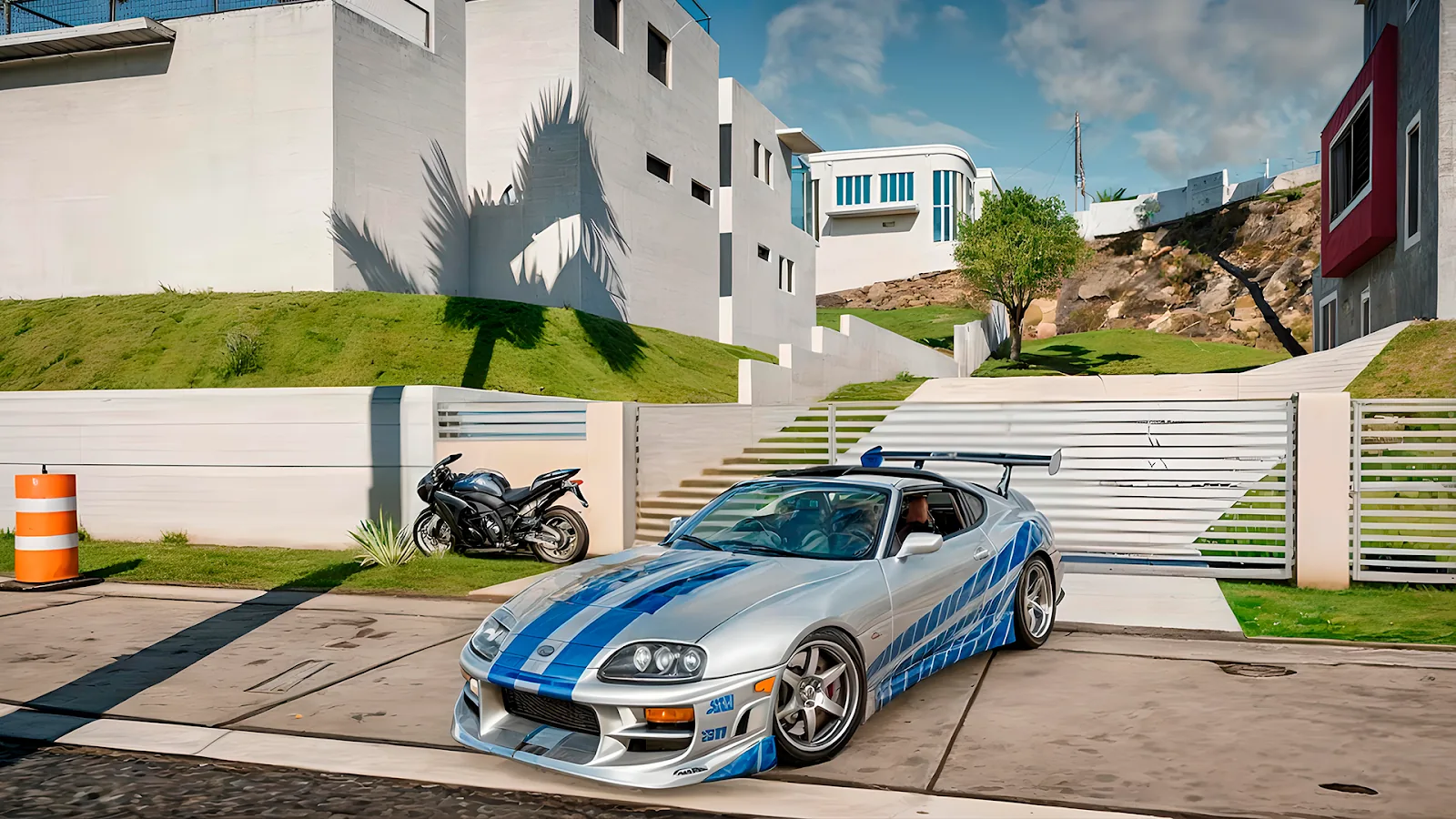
Quick Answer: Drive Zone Online MOD APK is a modified version of the open-world racing game by Jet Games FZ-LLC. The current build is v1.15.0 (released November 5, 2026). It unlocks unlimited money, all 50+ cars, a mod menu and an ad-free game — no root required. Read the safety section before installing: money is partly server-tracked, so some features work fully offline and only partly online.
Drive Zone Online MOD APK is the version of the game most players search for after a week with the official release. The base game is genuinely good: a huge 20×20 km open world, more than 50 cars, proper drifting physics, deep visual tuning with 30+ body kits per car, and online free-roam rooms with up to 32 players. The problem is the grind — a single top-tier car can take days of saving, and ads interrupt every few races. The mod removes that paywall pressure so you can drive, tune and drift the cars you actually want, from your first session. This page is the complete, honest guide: what each feature really does, where each one stops working online, how to install safely, and what the real ban risk looks like.
App Information
| App Name | Drive Zone Online (on Google Play: “Drive Zone: Car Simulator Game”) |
| Developer | Jet Games FZ-LLC |
| Latest Version | 1.15.0 |
| Updated | November 5, 2026 |
| Size | ≈ 440 MB |
| Requires Android | 7.0 or higher |
| MOD Features | Unlimited Money, All Cars Unlocked, Mod Menu, No Ads, Free Shopping |
| Root Required | Not required |
MOD Features — What Each One Really Does
Described the way they actually behave, not the way download farms advertise them. Rule of thumb: features stored on your phone work everywhere; features the game server tracks work fully offline and only partly online.
Unlimited Money
A balance that never runs out — cars, parts and tuning stop being a grind. Fully reliable offline; online the balance is partly server-tracked, so some purchases can fail or resync.
Partial onlineAll Cars Unlocked
All 50+ cars — vintage, supercars, SUVs and hypercars — in your garage from the first launch. No saving, no level gates. Some online events still apply their own entry rules.
WorksMod Menu
A floating in-game menu to switch features on and off per session, instead of everything forced on. Toggles still obey the server rule online. Full breakdown in the mod menu section below.
WorksNo Ads
Every interstitial and banner removed. The one feature that behaves identically offline and online, because ads are served to your device, not validated by the server.
Works everywhereFree Shopping
Shop purchases do not reduce your balance. Reliable offline; online the server keeps its own currency record, so do your big buying offline, then take the car online.
Partial onlineFull detail on every currency and what “unlimited” really means per mode is in the Unlimited Money section right below.
Unlimited Money — What It Really Unlocks
Every Drive Zone Online player hits the same wall: the cars you actually want cost far more DZO money than casual racing pays out. The unlimited money mod sets your local balance to a huge figure, so in offline play and free roam you can buy cars, upgrades and customization without grinding. The honest catch — stated up front, unlike most download pages — is that the game tracks money partly on its servers, so online the game can reject purchases or revert your balance, and using any mod online carries a ban risk. Unlimited money is also not unlimited coins: the premium currency is a separate system.
| Currency | What It’s For | Does the Mod Make It Unlimited? |
|---|---|---|
| DZO money | The main cash — dealership cars, performance upgrades, tuning parts and most customization. | Yes — this is the balance the mod maxes out. |
| Coins | Premium currency for special offers, select premium items and shortcuts. | No — coins are tied to real purchases and verified by the server; the money mod does not create genuine coins. |
| RP / Auto-Market cash | The balance used in the player-driven Auto Market, where cars are bought and sold between players. | Partly — the number on your screen can look enormous, but market deals are checked on the server side. |
What it buys you in practice: every car sold through the dealership for DZO money becomes effectively free — build a full garage in one session instead of weeks of grinding. One honest limit: a portion of the roster is locked behind battle passes, limited events or special progression, and those cars cannot be bought with money, unlimited or not. Upgrades are where the mod quietly matters most — engine parts, turbos, suspension, tyres, brakes and gearing can all be maxed immediately, and tuning experiments stop costing you, so testing drift tunes, drag setups and grip builds is free. Customization — paints, wraps, rims, body kits and spoilers — draws from the same pool and becomes completely stress-free.
Why does the balance show huge on screen while a purchase fails? Because the number you see comes from your local files — what the mod edits — while server-connected purchases are checked against the balance the server has recorded: your real, much smaller one. It happens most often in the Auto Market, with premium offers, and when switching between offline and online modes. The pattern experienced players follow: do your spending offline, build and tune the garage there, then race the finished cars online. Mods are also built per version — when Jet Games updates the game, an old money mod can stop loading or lose its balance edit until a matching build appears. If you would rather skip the ban risk entirely, our guide to earning money fast legitimately covers the fastest official routes, and the safety guide explains how to protect your main account.
All Cars Unlocked — What You Actually Get
With this feature, all 50+ cars in Drive Zone Online are in your garage from your very first launch — vintage cars, supercars, SUVs and hypercars, with no saving up and no level gates. One thing to know before you browse: Jet Games uses fictional in-game names rather than real brand names, so the cars wear invented badges — you will meet names like Omen DRS, Chevrone Conquer Z and Ares on machines modelled on real cars. Two honest limits up front: some online events and ranked modes apply their own server-side entry rules, and rolling into multiplayer in the most expensive cars on a brand-new account is very conspicuous. Offline and in free-roam, the full garage is simply yours.
| Category | What You Get | Best First Drive For… |
|---|---|---|
| Vintage cars | Classics full of character, heavily customisable | Learning the map, relaxed cruising, livery projects |
| Supercars | Balanced high-performance all-rounders | Street races and everyday fast driving |
| SUVs | Tough, high-riding off-roaders | Desert and airfield exploring, stunts, hidden bonuses |
| Hypercars | The fastest, rarest cars in the game | Highway top-speed runs and straight-line pulls |
Unlocked is only the start. Every car carries 30+ body kits, plus rims, bumpers, spoilers and liveries, a free vinyl editor that lets you draw a skin of any complexity, and real tuning — suspension including ride height, camber adjustment, engine upgrades and gearbox tuning. That turns the garage into a test bench: in the official game, experimenting is expensive; here you can take any car, fit the full kit, tune it, and learn exactly how it behaves before committing to earning it properly on your main account. Every car also has a fully modelled interior and engine, with opening doors, hood and trunk — an unlocked garage is 50+ finished cars, not a menu of grey boxes. One long-term note: new cars arrive with seasons and Drive Pass updates, so “all cars” means all cars in the current build, v1.15.0 — a fresh mod build is needed when new metal lands.
What the unlock does not do: it doesn’t override server-side event entry rules, it doesn’t make you faster (an unlocked hypercar with a stock tune still loses to a well-tuned car driven well), it doesn’t transfer to your official game or main account, and it doesn’t make you invisible online — modded play always carries some ban risk. Use unlocked cars for offline and free-roam fun, keep serious online play for a clean install, and read the safety and ban-risk guide before taking the rarest cars into multiplayer.
Mod Menu — Every Feature Explained (and Which Are Fake)
A plain mod APK has its changes baked in — money always maxed, cars always unlocked, nothing switchable. A mod menu build adds a small floating icon over the game; tap it and a panel opens with a switch for each feature, so you choose per session what is active — near-stock for online cruising, money on for an offline tuning session. Because the panel floats above the game, the build needs Android’s “display over other apps” permission; the official Play Store game needs no such permission, because it has no overlay. One rule governs every toggle below: changes stored on your device work — anything the server validates can be ignored, reversed or flagged.
| Feature | Real? | Offline | Online |
|---|---|---|---|
| Unlimited Money | Real | Works fully | Partial — balance is partly server-tracked; purchases can fail or revert |
| Unlock All Cars | Real | Works fully | Garage stays open, but some events and ranked modes apply server entry rules |
| No Ads | Real | Works fully | Works fully — ads are served to your device, not validated by the server |
| Free Shopping | Real | Works fully | Partial — server-side currency records can reject or undo purchases |
| Anti-Ban | Fake | Does nothing | Does nothing — detection happens on the server, not your phone |
| Money / Coin Generator | Fake | No real generator exists | Impossible — balances are server-checked against your account |
| God Mode, Teleport & Speed Hacks in Races | Fake / exaggerated | At most, minor local tricks in some builds | Server-validated results reject them — and obvious cheating is a ban magnet |
The four real toggles work as a set: unlimited money fills your balance, free shopping stops it draining, unlock all cars opens the garage, and no ads is the most reliable of all because the server never audits it. Everything below them in the table is fiction designed to get junk installed — no switch on your phone can stop server-side detection, so “anti-ban” cannot exist. Menu builds also carry extra risk: the overlay permission is powerful, and a malicious file can abuse it to draw fake login screens over other apps; menu builds are also the ones most often repacked with bundled adware. The defences are boring and they work: install only a current v1.15.0 build (the install guide covers the steps), scan the exact file on VirusTotal before installing, and refuse any permission beyond storage, network and the overlay itself — a racing game never needs your SMS, contacts or account login. The full checklist is in the safety guide.
No Ads — Clean, Uninterrupted Racing
For many players this is not a bonus feature — it is the whole reason to consider the mod. The official game is free, and ads are how it pays for itself; the trade is fair, but the interruptions are real. The no-ads build removes the game’s advertising entirely — no interstitial videos between races, no ads on session breaks — and unlike unlimited money, it works 100% in online multiplayer too.
What the official game actually shows, honestly counted: interstitial video ads are the main event — full-screen videos of typically 15 to 30 seconds at natural breaks: after you finish a race, when you return to the garage, and when a session ends. They never interrupt you mid-race, but they hit exactly when you want to jump straight into the next run. Rewarded ads are the optional kind: watch a video, receive a small bonus; nothing forces you to tap it. Banner placements in menus are the least intrusive — small, static, easy to ignore. As a rough estimate only (frequency varies by region and session), a half-hour of play can trigger around six to ten video ads — roughly two to five minutes of every thirty spent watching ads instead of driving.
Why does this feature behave differently from the money mod? The modified client strips the advertising out of the game itself: the ad calls are removed, so no creative is ever requested and nothing ever loads — there is no ad to skip, no countdown, no close button to hunt for. Ads are served to your device by an ad network, and the game server does not validate them; it has no reason to check “did this player just watch a video?” before letting a race start. Your money balance sits on the other side of that line — partly server-tracked — which is why money works fully offline and only partly online, while a device-only change the server never audits holds identically in single player, free-roam and multiplayer. It is the one mod feature with no asterisk — and it needs no root, because it is simply part of the modified v1.15.0 build.
The one honest trade-off: when the mod removes the ad system, it removes all of it — the rewarded-ad button goes with the interstitials, because both run through the same machinery. In practice you will not miss the bonuses: a rewarded ad drips a small amount of currency toward cars and upgrades that the mod already gives you outright, with the balance unlimited and all 50+ cars unlocked. The player who might genuinely feel the loss is one using the mod only for ad removal while playing the money and garage systems straight — and that player is best served by the official options: if the in-game store offers an ad-removal purchase on your version, that is the clean, risk-free route; playing offline stops ads from loading but cuts off multiplayer and every online feature entirely; and private-DNS or third-party “ad blocker” tricks are unreliable for in-game video ads, can break the game’s connection altogether, and are a common malware vehicle — not a real solution.
System Requirements — Can Your Phone Run It?
The official requirements are lighter than most players expect. Jet Games FZ-LLC asks only for Android 7.0 or higher, the current build (v1.15.0) downloads at about 440 MB, and the game is built to scale to weaker devices too — not just flagships. There is no official GPU, processor or RAM minimum: the game scales itself to your hardware instead of locking you out at the door. The tables below separate the official figures from our practical guidance for real budget phones, labelled as guidance.
| Android version | 7.0 or higher (official requirement) |
| Download size | ≈ 440 MB (v1.15.0) |
| Developer | Jet Games FZ-LLC |
| Free space to install | ~1 GB (practical guidance); 2 GB or more free is comfortable headroom |
| RAM — minimum (practical) | 3 GB, on the Low graphics preset |
| RAM — recommended (practical) | 4–6 GB for Low/Medium to Medium/High |
| Internet | Required for multiplayer and online modes; offline modes work without it |
| Root | Not required — for the official game or the MOD APK |
| Phone Tier | Typical Examples | Expected Settings |
|---|---|---|
| Budget — 3 GB RAM | Redmi 9 / 10A, Infinix Hot series, Tecno Spark series | Low preset, 30 FPS cap — playable, some stutter in busy scenes |
| Budget-plus — 4 GB RAM | Redmi Note series, Galaxy A1x–A2x, Poco M series, Realme C/Narzo | Low to Medium — comfortable for daily play |
| Mid-range — 6–8 GB RAM | Redmi Note Pro, Galaxy A3x–A5x, Poco X series, Tecno Camon | Medium to High — stable frame rates in most scenes |
| Flagship — 8 GB RAM and up | Galaxy S series, high-end Poco/Redmi, gaming phones | High preset, high FPS — the full experience |
In plain words: at the minimum (3 GB RAM, an entry-level chipset), expect the Low preset, a 30 FPS cap, longer loading screens when you enter the open world or a full 32-player room, and occasional stutters when lots of cars and effects are on screen — genuinely playable, especially offline. At 4–6 GB the game changes character: Medium settings hold a stable frame rate, loads are quick, and busy multiplayer rooms stay fluid. Nothing about the content changes — same cars, same 20×20 km map, same modes — and the jump from 3 GB to 4 GB of RAM is the single upgrade that changes this game most.
Two things decide most of the experience on a low-end phone. Storage: the 440 MB is only the download — installed data unpacks alongside the app, cache grows as you play, and every update needs room on top, so keep roughly 15% of your storage free; a nearly full phone stutters in every game. Settings: set the graphics preset to Low, cap FPS at 30 (a locked 30 feels smoother than a frame rate swinging between 25 and 45, and runs cooler), turn shadows and reflections to their lowest, close background apps, and exempt the game from battery saver. On PC there is no native Windows version, but the game runs well through Google Play Games or an emulator — see our PC guide. There is no iOS version at all — official or modded — and any page offering one is a scam; our iOS guide covers iPhone owners’ real options. Still lagging after all of the above? Work through the not-working fix hub.
Drive Zone Online Screenshots
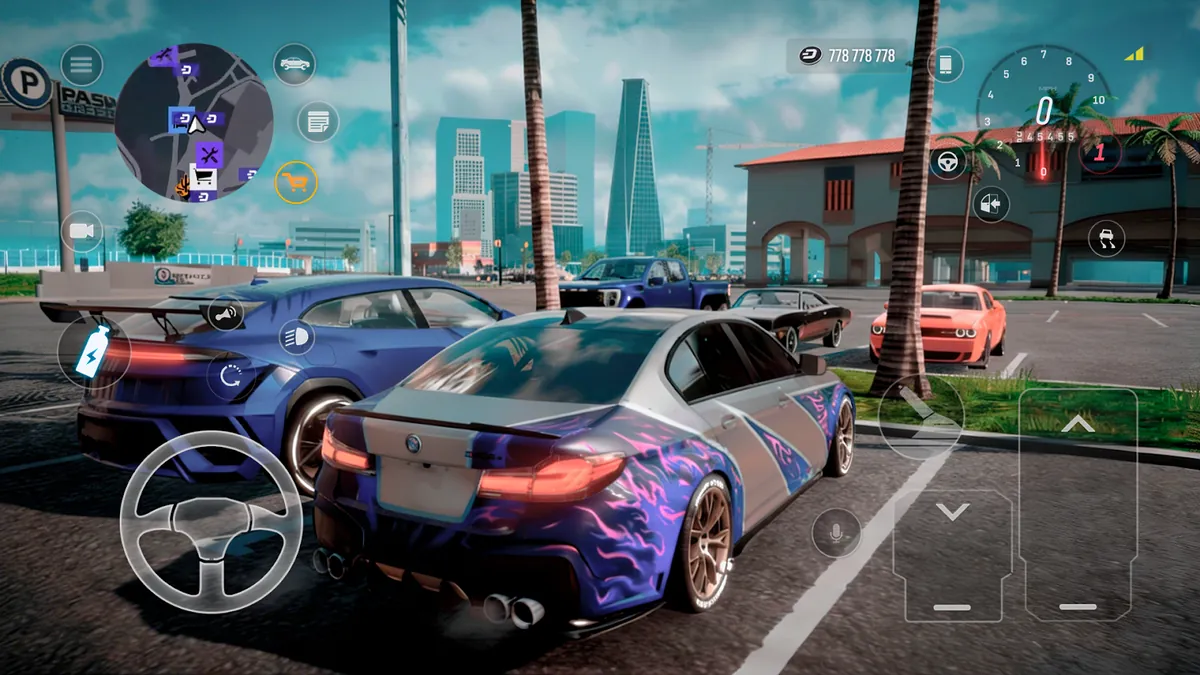
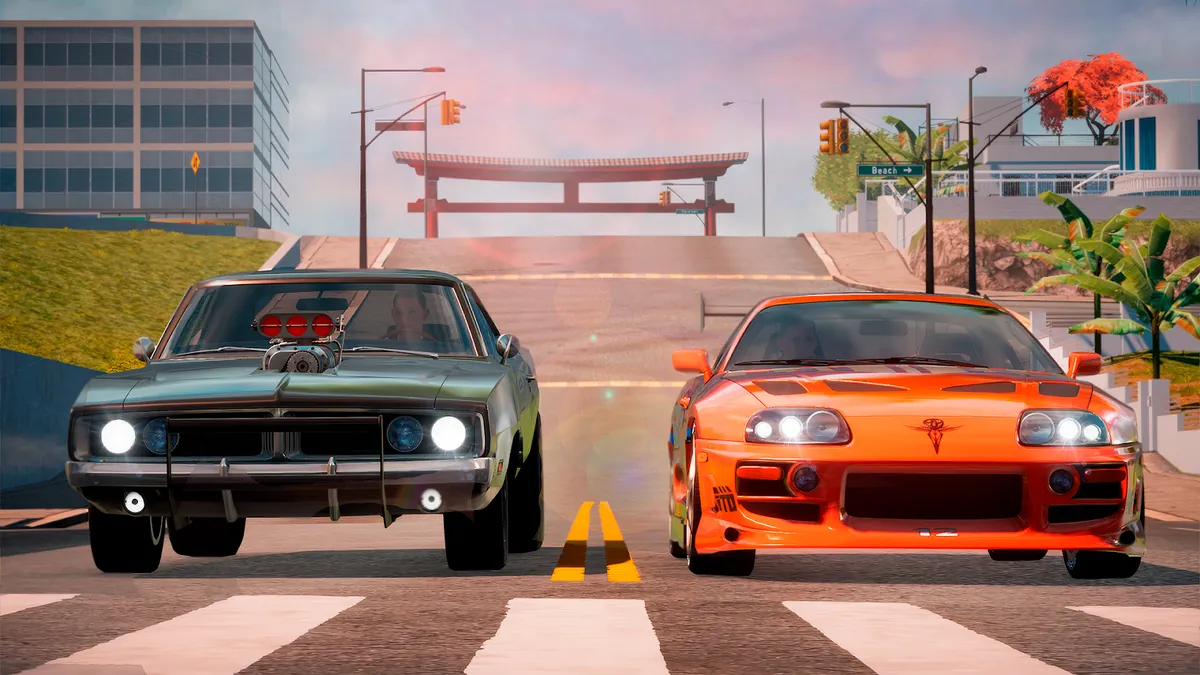
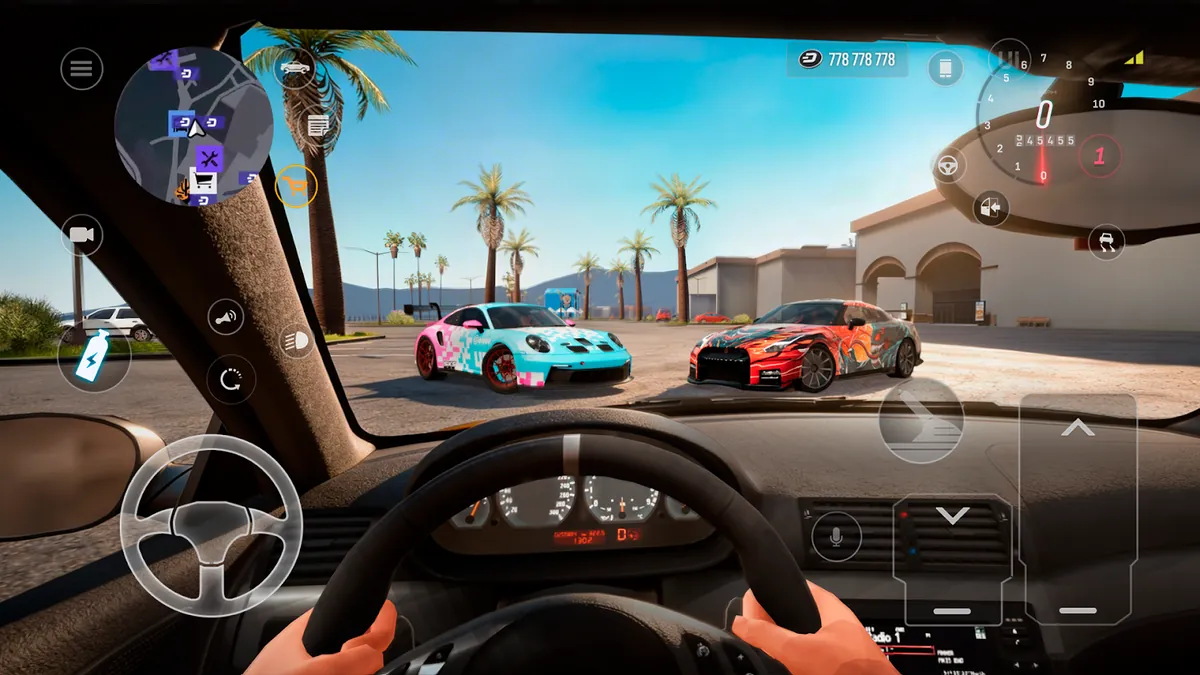
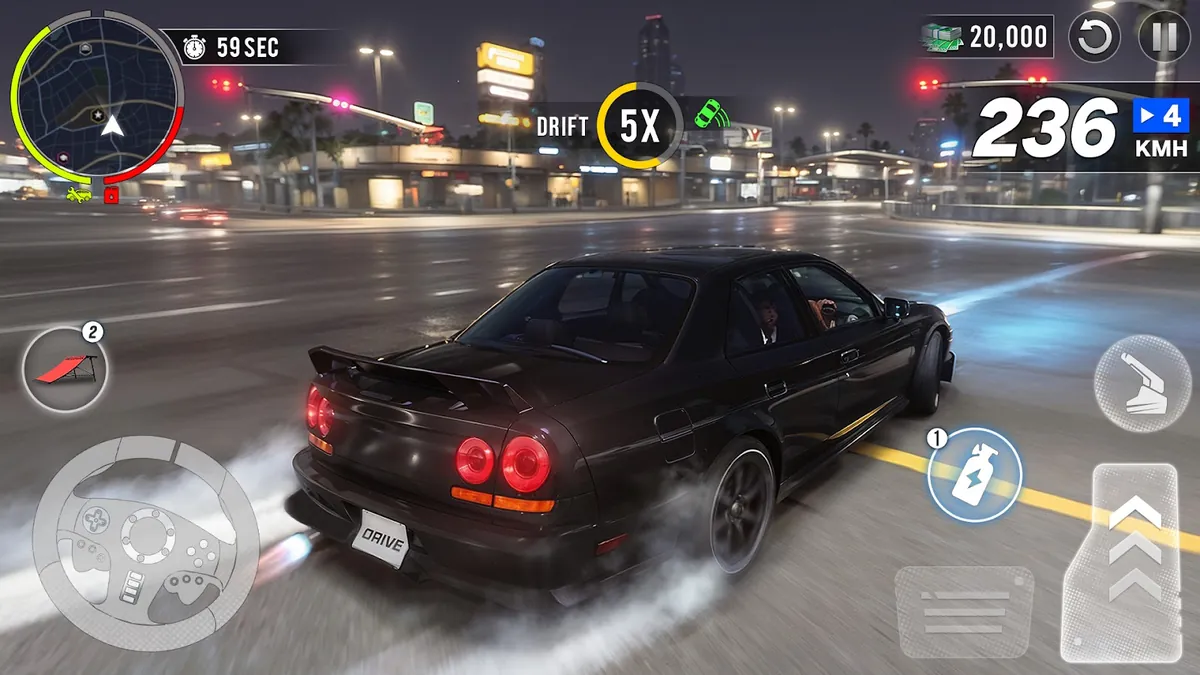
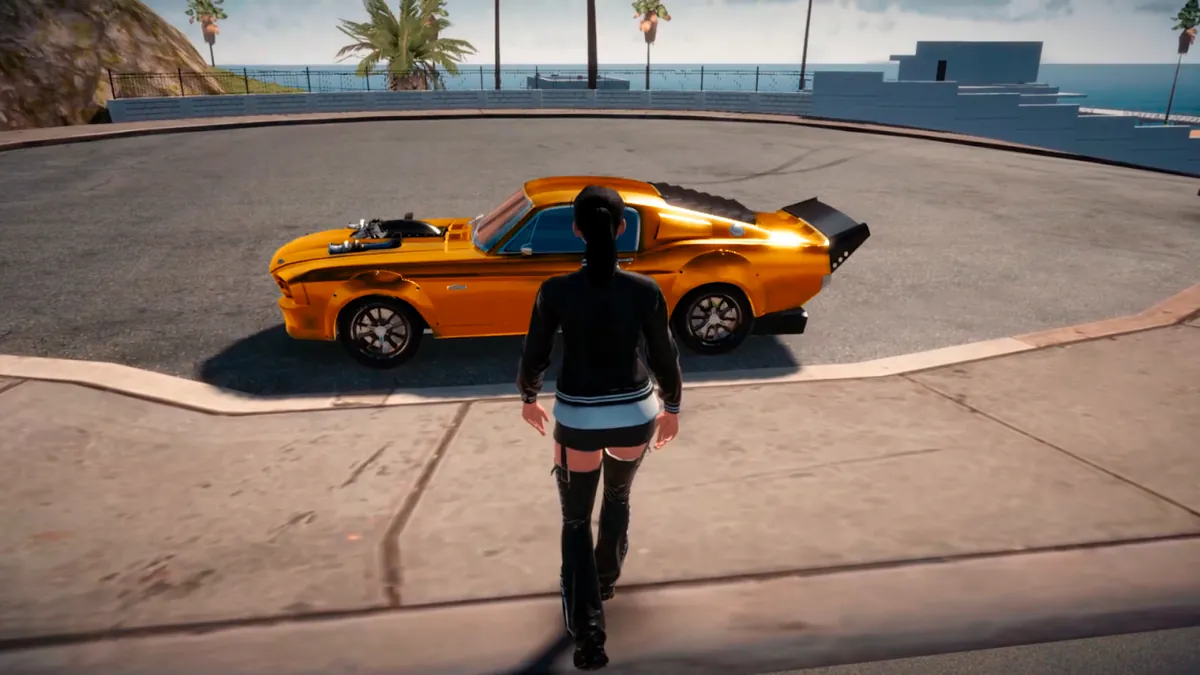
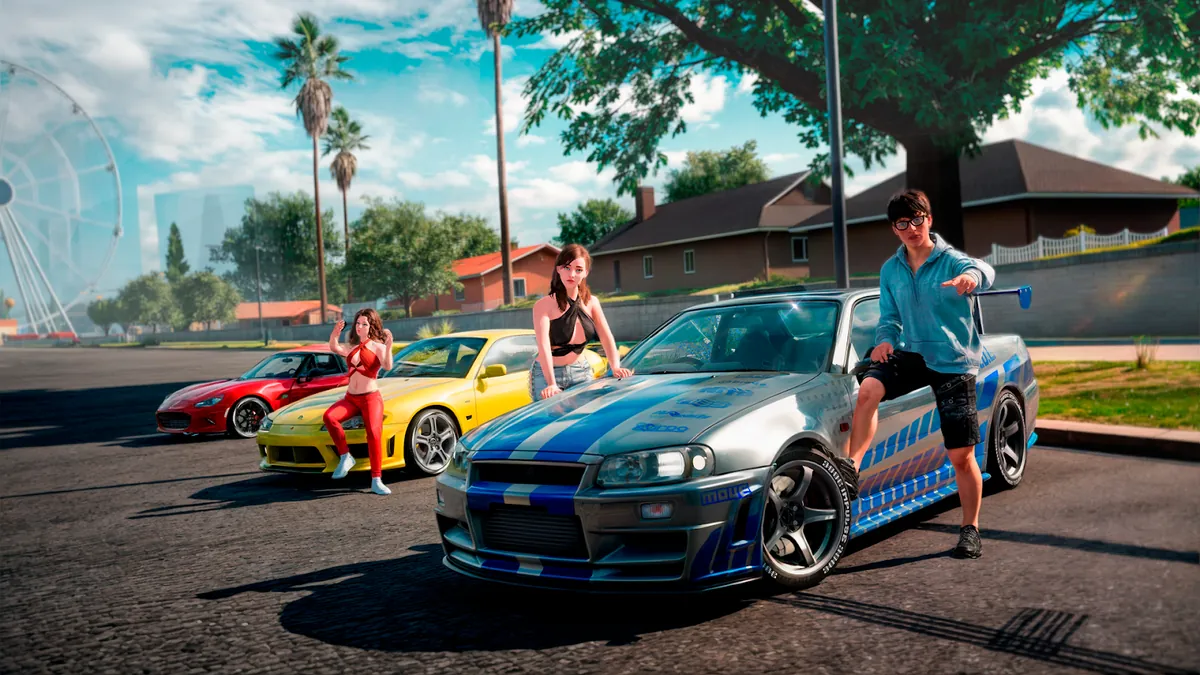
Real screenshots from the game — open-world free-roam, drag racing, drifting, first-person interiors and 32-player car meets.
What’s New in v1.15.0
Version 1.15.0, released November 5, 2026, is the latest official build on Google Play, where the game is now titled “Drive Zone: Car Simulator Game”. The mod build matches it — which is not true of most download pages, still pushing v1.12–v1.14 as “latest”. Version matters: old mods break after updates, multiplayer needs a current build, and an outdated mod quietly limits you to offline play. We track every release on the latest version page, updated on release day. Already have an older mod? Remove it before installing this build, or the install fails with a signature conflict.
What Works Online vs Offline — The Honest Table
| Feature | Offline | Online / Multiplayer |
|---|---|---|
| Unlimited Money | ✔ Fully works | ⚠ Partial — balance is partly server-tracked |
| All Cars Unlocked | ✔ Fully works | ✔ Garage open; some events apply server entry rules |
| Mod Menu | ✔ Fully works | ⚠ Opens, but server-validated toggles may be ignored |
| No Ads | ✔ Fully works | ✔ Fully works |
| Free Shopping | ✔ Fully works | ⚠ Partial — purchases can fail or resync |
Original vs MOD — Side-by-Side
| Official Version | MOD APK v1.15.0 | |
|---|---|---|
| Price | Free with in-app purchases | Free, purchases unlocked |
| Money | Earned slowly through races and events | Unlimited (fully offline, partial online) |
| Cars | 50+ cars, unlocked gradually | All 50+ cars unlocked from the start |
| Ads | Interstitial and rewarded ads | Removed completely |
| Mod Menu | Not available | Included, features toggle in-game |
| Updates | Automatic through Google Play | Manual — each update needs a fresh mod build |
| Multiplayer | Full access, up to 32 players | Accessible, but modded activity carries ban risk |
| Account Safety | No risk | Ban risk exists — use a secondary account |
| Root | Not required | Not required |
Prefer a deeper verdict? Read the full MOD vs official comparison.
How to Download & Install — The Short Version
Remove the official game
The mod is signed differently, so installing over the Play Store version fails. Uninstall it first.
Get the v1.15.0 build
Follow the full guide to get the right file and verify version and size (≈440 MB) before installing.
Allow unknown apps
Settings → Apps → Special access → Install unknown apps, for your browser or file manager only.
Install & handle Play Protect
A Play Protect warning is expected for sideloaded mods — read the safety section before deciding.
Test offline first
Confirm garage, money and menu in single player, grant only needed permissions, then go online.
Safety & Ban Risk — Read This Before You Install
A mod APK is unofficial software — not published or endorsed by Jet Games FZ-LLC, and not from Google Play. That does not automatically make it dangerous, but the checking is your job: scan the file with VirusTotal before installing, expect a Play Protect warning (the signature differs from the Play original), and refuse permissions a racing game never needs — SMS, contacts or call logs are red flags.
Ban risk is real. A modified client breaks the game’s terms of service, and accounts can be restricted or banned — especially for spending server-tracked modded money in ranked online play. No mod is genuinely “anti-ban”, whatever other sites claim. Lowest risk: play the mod offline or on a throwaway account; keep your main account on the official game. Mods also break after game updates — that is normal; check the version tracker instead of reinstalling random files.
The complete checklist is in our MOD APK safety guide. Something broken? Start with the not-working fix hub.
Frequently Asked Questions
Is Drive Zone Online MOD APK safe to install?
It can be, if you treat it like any unofficial software: install only the current v1.15.0 build, scan the file before installing, and refuse permissions a racing game should never need. Play Protect will probably warn you — expected for a sideloaded app, but a warning to take seriously. Our safety guide walks through every check.
Can I get banned for using the mod APK?
Yes, the risk exists. A modified client violates the game’s terms of service. Risk is highest with modded money or unlocked cars in ranked online play, and lowest offline or on a secondary account. No mod is genuinely “anti-ban”.
What is the latest version of Drive Zone Online MOD APK?
1.15.0, released November 5, 2026 — matching the current official build on Google Play (“Drive Zone: Car Simulator Game”). Size ≈440 MB, Android 7.0+. Many pages still list v1.12 or older as “latest” — they are out of date. See the latest version tracker.
Does Drive Zone Online MOD APK need root?
No. The v1.15.0 mod installs and runs on a completely stock, unrooted phone. You only need to allow your browser or file manager to install unknown apps — a standard Android setting, not a device modification.
Are all cars really unlocked in the mod APK?
Yes — all 50+ cars are in your garage from the first launch, with no money or level requirements. Honest limits: some online events apply server-side entry rules, and a new account racing the most expensive car in multiplayer is very visible.
Is Drive Zone Online free to play?
Yes. The official game is free on Google Play with ads and optional purchases; the mod is also free and removes the ads and grind. Never pay for a mod file, complete a “verification” survey, or install a second app to unlock a download — those are scam pages.
Start With These Guides
Latest Version v1.15.0 — What’s New & How to Update
The only up-to-date version tracker: release dates, changelog and safe update steps.
MoneyUnlimited Money MOD — What It Really Unlocks
The currencies explained, what works online vs offline, and why purchases sometimes fail.
BlogAll Guides & Tutorials
Install help, drift guides, car lists, fixes and comparisons — new guides added every week.
Last updated: November 10, 2026