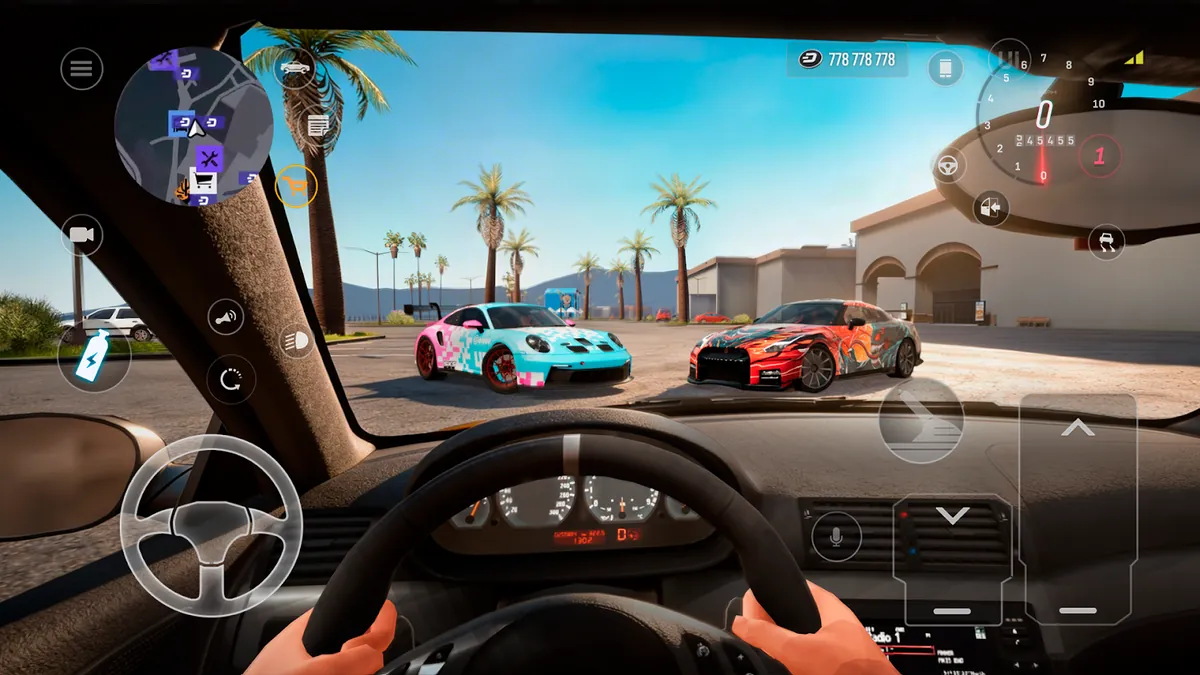
Drive Zone Online APK, OBB & XAPK Explained — Which File Do You Need?
Quick Answer: For most players, the file you need is the XAPK. Drive Zone Online comes in two parts: a small APK installer and a large OBB data file that holds the world, cars and textures. The XAPK bundles both and puts each one in the right place automatically.
A plain APK installed on its own is not enough — without the OBB sitting in Android/obb/com.drivezone.car.race.game/, the game opens to a black screen or a “download failed” message. Install the APK + OBB separately only if you are comfortable copying files by hand (Method 2 below).
If your search for drive zone online apk obb xapk files left you staring at three different downloads with no idea which one you actually need, this is the page that settles it. Below: a 30-second decision table, what each format really is in plain English, both install methods step by step, and the short list of errors that mean you picked or placed a file wrongly. For the full mod install walkthrough, this page works alongside our Drive Zone Online download & install guide.
The 30-Second File Guide
Find what you downloaded in the left column. That row tells you what you are holding and how it gets installed.
| You Have… | What It Is | How to Install |
|---|---|---|
| A single .apk file | The installer only — the app itself, with no game data | Not enough on its own. You also need the matching OBB file — see Method 2 |
| A single .xapk file | A bundle containing the APK + the OBB data together | An XAPK installer app does everything — see Method 1 (recommended) |
| An .apk plus a separate .obb file | Installer and data file, delivered separately | Manual install: install the APK, then copy the OBB to Android/obb/com.drivezone.car.race.game/ |
| An .apkm or .apks file | A split bundle: base APK plus small config files for your phone | A split-APK installer app picks the right pieces for your device |
What Each Format Actually Is
APK — the app itself
The APK (Android Package) is the installer for the app: the game code, menus and logic. For Drive Zone Online it is the smaller part of the download. When you install from Google Play, the APK and its data arrive together behind one Install button, which is why most players never see these file names at all.
OBB — the game’s heavy data
The OBB (Opaque Binary Blob — ignore the name) is one large expansion file holding the assets that make the game big: the open-world map, car models, textures and sounds. It makes up most of Drive Zone Online’s ≈440 MB size. The OBB does not install like an app; it must sit in a specific folder, Android/obb/com.drivezone.car.race.game/, where the game looks for it on launch. If it is missing, renamed, or from a different version, the game cannot start properly.
XAPK — the bundle that does the work for you
An XAPK is a container file — think of it as a parcel holding the APK and the OBB together. You cannot install it by tapping it directly; an XAPK installer app opens the parcel, installs the APK, and copies the OBB into the correct folder in one go. This is why the XAPK is the right choice for almost everyone: it removes the step where most manual installs go wrong.
Split bundles (.apkm / .apks) — one app, several small files
Modern Android also delivers apps as splits: a base APK plus small extra files matched to your phone’s language, screen density and processor type. Download sites package these as .apkm or .apks bundles. They are legitimate, but like the XAPK they need an installer app that knows how to combine the pieces — tapping the bundle file alone does nothing.
Why does a game this size not come as one simple APK? Because the installer package was never designed to carry hundreds of megabytes of world data efficiently. Splitting the assets into an OBB keeps the app package lean, lets the data be delivered and stored separately, and is the standard pattern for large Android games — Drive Zone Online simply follows it.
Method 1: Install the XAPK (Recommended)
- Uninstall the official game first. The mod is signed differently from the Play Store version, so it cannot install over it — Android stops with a signature conflict. The same goes for an older mod from another source.
- Download the v1.15.0 XAPK (the full bundle is ≈440 MB) on Wi-Fi, so the file arrives complete. Our latest version tracker confirms which build is current.
- Install an XAPK installer app from Google Play — search “XAPK installer” and pick a well-rated one.
- Open the installer and grant it file access when it asks. It needs storage permission to read the bundle and place the OBB.
- Select the .xapk file and tap Install. If Android asks, allow that installer app under “Install unknown apps.”
- Wait for it to finish. Copying several hundred megabytes of OBB data can take a couple of minutes on budget phones. Do not close the installer mid-copy — a half-copied OBB is the top cause of black-screen launches.
- Launch the game. Reaching the main menu means the OBB landed in the right folder and you are done.
Method 2: APK + OBB Manual Install
Use this route when your download came as two separate files. The order matters: data in place before the first launch.
- Uninstall the official Play Store version (and any older mod) first, for the signature reason above.
- Check the two files match: the APK and the OBB must both be for version 1.15.0. A v1.15.0 APK with a v1.14.0 OBB is a mismatch the game will reject.
- Install the APK — but do NOT open the game yet. Launching before the data is in place just produces an error screen.
- Find the OBB file in your Downloads folder. Its name follows the pattern main.(number).com.drivezone.car.race.game.obb — do not rename it.
- Open your file manager and go to Internal storage → Android → obb. Create a folder named exactly com.drivezone.car.race.game if it is not already there.
- Copy or move the .obb file into that folder, so its full path reads Android/obb/com.drivezone.car.race.game/main.(number).com.drivezone.car.race.game.obb.
- Now launch the game. It should load straight to the menu.
The Android 11+ OBB Access Problem
On Android 11 and newer, scoped storage restricts which folders apps can touch. Many built-in file managers will show you the Android/obb folder but silently fail to copy into it — or show the folder as empty. If Method 2 stalls at step 5 or 6, this is almost certainly why.
You have two ways around it. Use a full-featured file manager app and grant it “All files access” when prompted, which restores the ability to write into Android/obb. Or skip the fight entirely: the XAPK installer in Method 1 places the OBB itself, which is one more reason that route is the recommended one.
Errors That Mean a File Problem
If the game installed but will not start, match the symptom here before trying anything else:
| Symptom | What It Means |
|---|---|
| Black screen, or stuck on the logo | The OBB is missing, in the wrong folder, or from a different version. Check the path in Method 2, step 6 |
| “Download failed because you may not have purchased this app” | The game cannot find or verify its OBB data — usually an OBB/package mismatch. Reinstall the APK and OBB as a matched v1.15.0 set, or use the XAPK |
| Parse error / “problem parsing the package” | The download is corrupt or incomplete. Delete it and re-download on a stable connection — the real full file totals ≈440 MB, so a much smaller file is not the game |
Hitting a different error — “App not installed,” Play Protect blocks, or crashes after an update? Those are covered in our Drive Zone Online MOD APK fixes hub. And for the features, specs and the mod itself, start from the Drive Zone Online MOD APK overview on the homepage.
Frequently Asked Questions
How do I install the XAPK file of Drive Zone Online?
With an XAPK installer app: uninstall the official game first, download the v1.15.0 XAPK (≈440 MB), open it inside the installer, grant file access, and tap Install. The installer puts the APK and the OBB in their correct places automatically — Method 1 above walks through it step by step. Never try to install an XAPK by renaming it.
How much storage do I need for Drive Zone Online?
The download itself is ≈440 MB, and the installed game with its data needs further room on top of that, plus space for future updates. Keep roughly 1 GB free to install comfortably and avoid mid-install failures. The game requires Android 7.0 or higher; no root is needed for any of the formats on this page.
Can I rename an XAPK to APK and install it?
No. Renaming a file does not convert it — an XAPK renamed to .apk is still a container holding an APK and an OBB, and Android’s installer will either refuse it with a parse error or fail to find the game data. If your file ends in .xapk, install it with an XAPK installer app as shown in Method 1.
Last updated: November 10, 2026