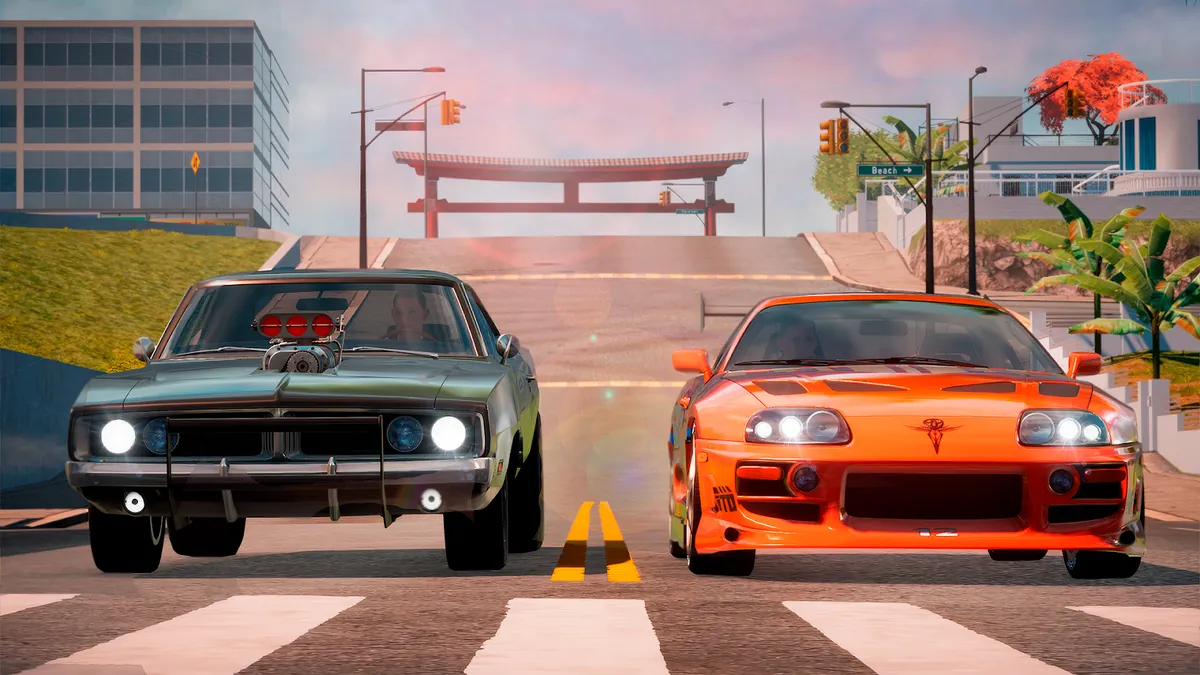
Drive Zone Online MOD APK Not Working? Every Error & Fix (2026)
If your Drive Zone Online MOD APK is not working, do not keep reinstalling random files from different sites. Almost every failure comes down to a short list of known causes, each with a specific fix. Find your error below and follow its steps in order.
Quick Answer
Around 90% of “not working” cases are one of three things: (1) an outdated build — the current version is v1.15.0, and older mods break every time Jet Games updates the game; (2) a signature conflict — the mod cannot install over the Play Store version or an older mod, so the old app must be uninstalled first; or (3) money that looks broken online — currency is partly server-tracked, so unlimited money works fully offline but only partly in online rooms. Check your version first, then jump to your error below.
First Check: Is Your Build Current?
Before trying any fix, confirm what you have installed. The current Drive Zone Online version is v1.15.0, released by Jet Games FZ-LLC on November 5, 2026 (the game is now listed on Google Play as “Drive Zone: Car Simulator Game”). The file is about 440 MB and needs Android 7.0 or higher. No root is required.
To check your installed version: open the game and look at the version text on the loading screen or in the in-game Settings menu. If the game will not open at all, go to your phone’s Settings → Apps → Drive Zone Online — the version is shown at the bottom of the app info page.
If your build is older than v1.15.0, most of the errors on this page are explained already. An old build typically crashes, shows an “update required” message, or refuses to connect online. Our latest version tracker shows the current build, its release date and how to update without wiping your garage — start there before troubleshooting anything else.
Every Error, Its Cause and Its Fix — Summary
| Error / Symptom | Most Likely Cause | Go to Fix |
|---|---|---|
| “App not installed” | Signature conflict with the official game or an old mod | Fix 1 |
| “Parse error” / “problem parsing the package” | Incomplete or corrupted download | Fix 2 |
| Install blocked by Play Protect | Google’s scanner flags sideloaded modded apps | Fix 3 |
| Crash on launch / black screen | Outdated build, full storage, or corrupted data | Fix 4 |
| Stuck on the loading screen | Connection, storage or version problem | Fix 5 |
| “Update required” message in-game | Your mod is older than the current game version | Fix 6 |
| Cannot connect to online rooms | Version mismatch with the servers | Fix 7 |
| Unlimited money not working online | Money is partly server-tracked — not a bug | Fix 8 |
| Low FPS / heavy lag | Budget phone running settings that are too high | Fix 9 |
Fix 1: “App Not Installed” (Signature Conflict)
The cause: the mod APK is signed with a different key than the Play Store version. Android treats that as a different app trying to replace the official one and refuses the install. The same error appears when you try to install a new mod build over an older, differently-signed mod.
- Uninstall the Play Store (official) version of Drive Zone Online completely.
- If you already have an older mod installed, uninstall that too — never install one build over another.
- Restart your phone. This clears leftover package data that can keep triggering the error.
- Install the v1.15.0 mod APK fresh, and only then launch it.
Do not skip the restart — on Redmi, Infinix and Tecno phones especially, a stale installer cache is a common reason the error survives an uninstall. The full walkthrough, including the unknown-apps permission, is in our download and install guide.
Fix 2: “Parse Error” / “There Was a Problem Parsing the Package”
The cause: Android cannot read the file — almost always an incomplete or corrupted download. The genuine v1.15.0 file is about 440 MB; if yours is much smaller, it never finished downloading.
- Delete the file you have. Do not try to repair it.
- Re-download on a stable Wi-Fi connection, not mobile data — 440 MB over a dropping connection is the number one cause of this error.
- Before installing, check the file size in your file manager. It should be roughly 440 MB.
- Clear the package installer’s cache: Settings → Apps → Package Installer → Storage → Clear cache.
- Install again. If you are on Android 6 or older, stop here — the game needs Android 7.0+.
Fix 3: Play Protect Blocked the Install
The cause: Google Play Protect scans sideloaded apps, and modded apps fail its checks by design: their signatures do not match the Play Store original, so Protect warns or blocks. This is expected for any mod, and exactly why you should only install a file you have verified first.
Our install guide covers the exact Play Protect prompt, screen by screen, including how to proceed with a file you have already verified, and the warning signs that mean stop and delete instead — the wrong size, the wrong version, or SMS/contacts permission requests. For the full checking routine, read the safety and ban-risk guide before installing anything.
Fix 4: Crash on Launch or Black Screen
The causes: an outdated build, corrupted app data, or a phone out of free storage.
- Confirm your build is v1.15.0 (see the check at the top of this page). A crash that started right after the official game updated is a version problem, not a phone problem.
- Clear the cache: Settings → Apps → Drive Zone Online → Storage → Clear cache. Launch again.
- If it still crashes, use Clear data too — this can reset local progress, so only do it when signed in with a linked account.
- Keep at least 2 GB of storage free. The 440 MB install needs unpacking room, and a nearly full phone produces exactly this black-screen crash.
- Still crashing? Uninstall and do the clean reinstall at the bottom of this page.
On budget phones, also drop the in-game graphics to the Low preset before your first race — some builds default to settings the phone cannot hold.
Fix 5: Stuck on the Loading Screen
The causes: the game cannot reach the servers (connection), cannot finish unpacking (storage), or is an old build the servers no longer accept (version).
- Switch connections: Wi-Fi to mobile data or the reverse. A stuck first load is often a stalled handshake.
- Check free storage — keep 2 GB or more free, then force-stop the game and relaunch.
- Turn off any VPN or data-saver app for the first launch, then try again.
- Verify your version once more. Old builds often hang on loading because the server simply never answers them.
Fix 6: “Update Required” Message In-Game
The cause: this one is not a fault — the game is telling you the truth. Your mod is built on an older game version than the servers expect, and it cannot proceed until it matches.
There is no setting or workaround for this, and any site selling an “anti-update” trick is wasting your time. The fix is to move to the current build: check what is latest on the latest version page, note your linked account, uninstall the old mod, and install v1.15.0 fresh. The official Play Store listing shows the same version number if you want to confirm it independently.
Fix 7: Cannot Connect to Online Rooms
The causes: multiplayer only accepts the current version, so a version mismatch is the first suspect. After that: a brief server-side outage, or a VPN the game rejects.
- Confirm you are on v1.15.0. Very old versions cannot connect to multiplayer at all — the servers simply refuse them.
- Test offline mode. If offline play works perfectly, your install is fine and the problem is the connection between your build and the servers.
- Disable your VPN, restart the game, and try a room again.
- If it still fails, wait and retry later — server outages happen, and no reinstall fixes one.
Fix 8: Unlimited Money Not Working Online
The honest answer: this is not a bug and there is nothing to fix. Drive Zone Online keeps part of your account data — including currency — on the game’s servers. Offline, everything lives on your phone, so unlimited money works completely. Online, the server holds its own record of your money, so purchases can fail, get reversed, or resync to a lower amount when you reconnect.
Our unlimited money guide breaks down exactly what works in each mode. The practical approach: do your big buying and building offline, then take the finished car online. Spending obviously modded money in online modes is also the most visible thing a mod user can do — read the ban-risk section of the safety guide before racing a heavily modded account in ranked rooms.
Fix 9: Low FPS and Lag on Budget Phones
The cause: Drive Zone Online is a heavy open-world game, and phones like the Redmi Note series, Infinix Hot/Note, Tecno Spark/Camon and Samsung Galaxy A-series often default to graphics settings they cannot sustain.
- In the game’s graphics settings, choose the Low preset and cap the frame rate at 30 FPS. Stability beats a stuttering 60.
- Close background apps before playing — on 4 GB RAM phones, a browser and a messenger left open are enough to cause lag spikes.
- Keep at least 2 GB of storage free — a nearly full phone throttles everything.
- Turn off battery-saver mode while playing, or whitelist the game — budget skins (MIUI, XOS, HiOS) throttle games hard in saver mode.
- Play while the phone is cool — heat throttling after 15–20 minutes is normal on budget hardware.
When the Only Fix Is a Clean Reinstall
If your error’s fix did not work, stop patching and reinstall cleanly, in exactly this order:
- Link your account first, and note which account it is. Progress stored only locally may not survive an uninstall — a real risk, not fine print.
- Uninstall the game completely — official version and any mod builds.
- Restart the phone.
- Confirm at least 2 GB of free storage.
- Download the v1.15.0 build fresh (do not reuse an old file sitting in your Downloads folder).
- Install it, launch offline first, and confirm the garage, money and mod menu work before going online.
This sequence fixes every install-side problem on this page. If a clean, current build still fails, the issue is the device itself — usually Android below 7.0 or too little storage/RAM. For the bigger picture of what this mod does and does not do, see our main Drive Zone Online MOD APK guide.
Frequently Asked Questions
Why does it say “App not installed”?
Because of a signature conflict. The mod APK is signed differently from the Play Store version, so Android refuses to install it over the official game — and the same happens over an older, differently-signed mod. Uninstall the official version and any old mod first, restart your phone, then install the v1.15.0 build fresh (Fix 1 above).
Why did my mod stop working after the game updated?
Because mods are built for one specific game version. When Jet Games releases an update, the old mod build no longer matches: it may crash on launch, hang on the loading screen, show an “update required” message, or lose its connection to multiplayer. This is normal behaviour, not a broken phone. The fix is always the same — move to the build made for the current version, v1.15.0.
Why does unlimited money not work in online races?
Because money is partly tracked on the game’s servers. Offline, your balance lives entirely on your phone and the mod’s unlimited money works in full. Online, the server keeps its own record, so big purchases can fail or resync when you reconnect. It is a design limit of the game itself, not a faulty mod — no mod can change what the server tracks. Do your buying offline and race the finished car online.
Will reinstalling delete my progress?
It depends on how your progress is stored. If you play signed in with a linked account, your progress is tied to that account and comes back when you sign in on the fresh install. Progress that exists only in the app’s local data can be erased by an uninstall or by clearing app data. Before any reinstall, check you are signed in and note the account — that one step is the difference between a five-minute fix and a lost garage.
Last updated: November 10, 2026