How to Play Drive Zone Online — Complete Beginner’s Guide (2026)
⚡ Quick Answer
Learning how to play Drive Zone Online is simple: install the game, pick a starter car in your garage, run through Driving School to learn the controls, then try Career mode before jumping into multiplayer. Spend your first 30 minutes practicing steering, braking, and drifting basics — it will save you hours of frustration later.
Step 1: Install and Set Up the Game
Download Drive Zone Online from the Google Play Store (it is free). The game is around 400 MB, so use Wi-Fi and make sure you have at least 1 GB of free space. On first launch, it will download a small amount of extra data. Create your driver profile, pick a username, and you will land in your garage with a starter car.
Step 2: Learn the Controls
Before racing anyone, get comfortable with how the car feels. Drive Zone Online offers several control schemes:
- Go to Settings → Controls and try each option for a minute.
- Touch buttons are best for beginners — left/right arrows plus gas and brake pedals.
- Tilt steering feels natural once you adjust the sensitivity, but start at 60–70% to avoid oversteering.
- Try Driving School mode — it teaches braking points, racing lines, and drift initiation step by step.
- Turn on driving assists (ABS, traction control) at first, then disable them one by one as you improve.
Step 3: Understand the Game Modes
- Career: structured events that teach you racecraft and pay out solid rewards. Start here.
- Drift: score points by sliding through corners. Rear-wheel-drive cars work best.
- Racing: sprint and circuit races against AI or real players.
- Drag: straight-line speed battles — launch and gear shifts decide everything.
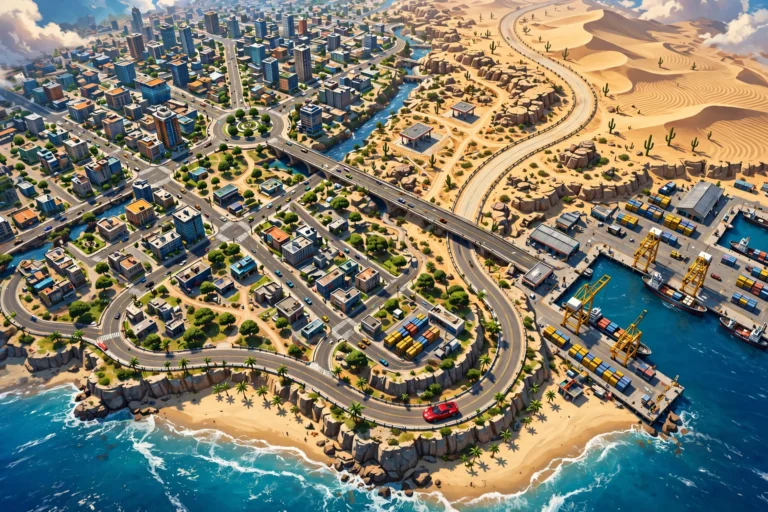
- Free Roam: explore the 20×20 km open world with no objectives. Great for practice.
- Multiplayer: up to 32 real players in one world. Save this until you can drive cleanly.
Your First 30 Minutes: Checklist
- ☐ Finish the Driving School lessons (10 minutes, worth it)
- ☐ Complete 3 Career races to earn your first upgrades
- ☐ Spend your first earnings on tires and brakes, not engine power
- ☐ Try one Drift event to feel how sliding works
- ☐ Explore Free Roam for 5 minutes — learn the map layout
- ☐ Adjust steering sensitivity until the car feels predictable
- ☐ Claim daily rewards and check active events
Beginner Tips That Actually Matter
Brake before the corner, not in it. Most beginners crash because they brake while turning. Slow down early, then accelerate out — you will be faster and cleaner.
Upgrade handling first. Tires, brakes, and suspension make you faster than raw horsepower when you are learning. Power without grip just means spinning out sooner.
Learn one car at a time. Every car handles differently. Stick with your starter car for the first few hours so you build real muscle memory instead of relearning constantly.
Watch better players. In multiplayer free roam, follow skilled drivers and observe their lines through corners. It is free education.
Frequently Asked Questions
Is Drive Zone Online hard for beginners?
It has a learning curve because the physics are realistic, but Driving School mode, driving assists, and Career mode make it very approachable. Most players feel comfortable within a few hours.
What is the best starter car in Drive Zone Online?
Stick with the balanced starter car the game gives you and upgrade its tires and brakes first. Avoid jumping into powerful cars early — they are harder to control and will slow your learning.
Can I play Drive Zone Online offline?
Yes, Career mode, Driving School, and Free Roam work offline. Only multiplayer features like 32-player lobbies and the Auto Market need an internet connection.
How do I drift in Drive Zone Online?
Approach a corner at speed, tap the handbrake to break rear traction, then counter-steer and balance the throttle to hold the slide. Rear-wheel-drive cars with lowered steering sensitivity (60–70%) are easiest to learn on.
When should I try multiplayer?
Once you can complete Career races without crashing regularly — usually after a few hours. Jumping in too early is frustrating for you and annoying for other players.
Is Drive Zone Online free to play?
Yes, it is free with optional in-app purchases. You can enjoy the full core game — Career, drifting, racing, and multiplayer — without spending anything.
Want more Drive Zone Online tips & tricks?