
How to Play Drive Zone Online With Friends — Multiplayer Guide (2026)
⚡ Quick Answer
To play Drive Zone Online with friends, open the multiplayer menu from the main screen, join the same server region, and either create a private lobby or accept a friend’s invite. Once everyone is in the lobby, pick a game mode and hit start — you will load into the same world together.
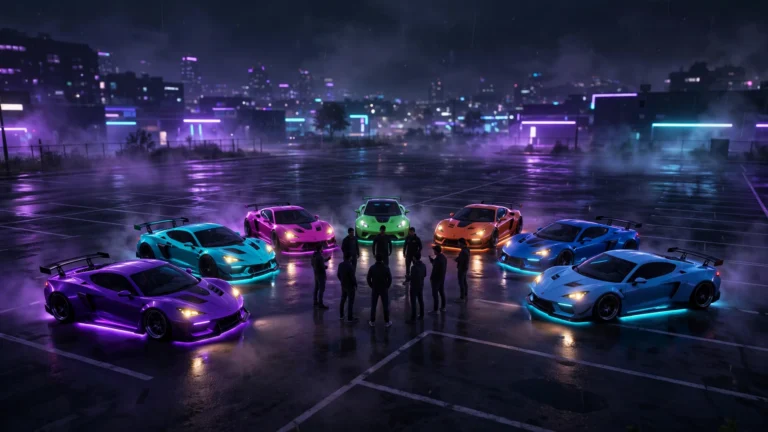
Racing against random players is fun, but nothing beats cruising or competing with your own crew. If you are wondering how to play Drive Zone Online with friends, the good news is that the game was built for it — up to 32 players can share one open world, so you and your friends can drift, race, or just explore together in the same session.
The process is simple once you know where the options are. This guide walks you through joining a session, creating a private lobby, choosing the right game mode, and fixing the common problems that stop invites from working.
How to Join a Multiplayer Session With Friends
If your friend is already online and has a lobby open, joining them takes less than a minute. Here is exactly how to do it:
- Open Drive Zone Online and make sure you are logged into your game account on the main menu.
- Tap the Multiplayer button on the main screen. This opens the online lobby browser.
- Check the server region at the top of the screen. You and your friend must be on the same region (for example, both on Europe or both on Asia), or you will not see each other.
- Accept your friend’s invite from the in-game friends list or notifications panel. If they sent you a lobby code or name, search for it in the lobby browser.
- Wait for the world to load. Once the map loads, you will spawn near your friend and can start driving together right away.
If you do not see the invite, both of you should restart the game and double-check that you are running the same game version. Mismatched versions are the number one reason invites fail to appear.
How to Create a Private Lobby and Invite Friends
Want a session with just your group and no strangers? Creating a private lobby is the way to go. Here is the step-by-step:
- From the main menu, tap Multiplayer, then choose Create Lobby.
- Set the lobby to Private so random players cannot join.
- Choose your preferred game mode (free roam, race, or drift) and the map area you want to start in.
- Open the Invite panel inside the lobby and send invites to your friends from your friends list.
- Once everyone has joined, tap Start to load into the world together.
A quick tip: add your friends in the game’s friends list before race night. Adding them mid-session wastes time because the list only refreshes when you reopen the multiplayer menu.
Game Modes You Can Play Together
Not every mode feels the same with friends. Here is a quick breakdown of what works best when you are playing as a group:
| Mode | Players | Best For |
|---|---|---|
| Free Roam | Up to 32 | Cruising, exploring the map, and casual drifting with a big group |
| Street Race | Up to 8 | Competitive races against your friends on city and highway circuits |
| Drift | Up to 8 | Drift battles and tandem runs — great for showing off your tuned car |
| Drag Race | 2–4 | Quick head-to-head sprints to settle who has the fastest build |
Free roam is the most popular choice for friend groups because nobody gets eliminated and everyone can do their own thing — some players drift in the city while others test top speed on the highway, all in the same world.
Quick Checklist Before You Race Together
Run through this list before every session and you will avoid 90% of multiplayer headaches:
- Same game version — update the game on all devices before playing.
- Same server region — mismatched regions hide lobbies from each other.
- Stable internet — switch to Wi-Fi instead of mobile data for fewer disconnects.
- Friends list ready — add each other in-game ahead of time.
- Similar car classes — agree on a car tier so races stay fair and fun.
FAQ
How many friends can play Drive Zone Online together?
Up to 32 players can share a single free-roam world. Structured races and drift events support smaller groups, usually up to 8 players per event.
Do I need to pay to play multiplayer with friends?
No. Online multiplayer is free in the standard version of the game. You just need an internet connection and a game account.
Why can’t my friend see my lobby?
The most common causes are different server regions, different game versions, or a private lobby setting blocking the invite. Check all three, restart the game, and try the invite again.
Can I play with friends on different phones (Android and iPhone)?
Yes, as long as both players are on the official version and the same server region. Cross-platform play works between Android and iOS in the standard release.
Does playing with friends give more rewards?
Multiplayer events and daily challenges often pay bonus currency and XP compared to solo races, so racing with friends is one of the fastest ways to earn in-game money.
Want more Drive Zone Online tips & tricks?